


Introduction
Without having a free and easy way to type,
Persian culture will not advance.
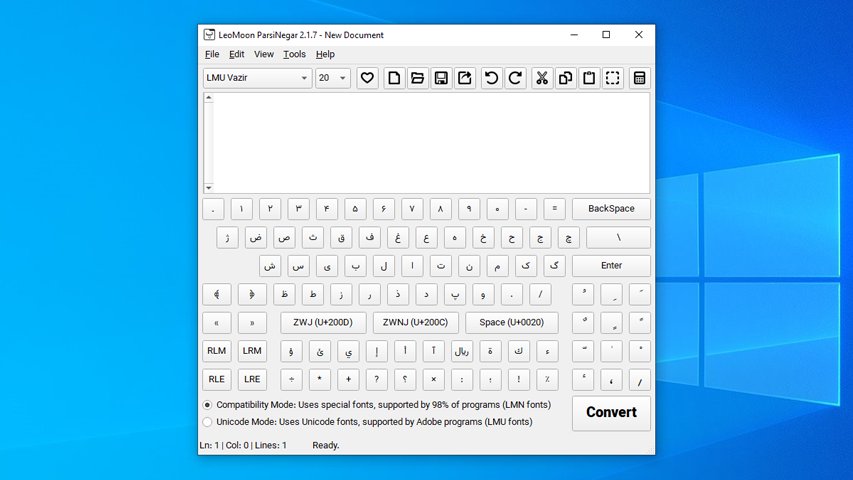
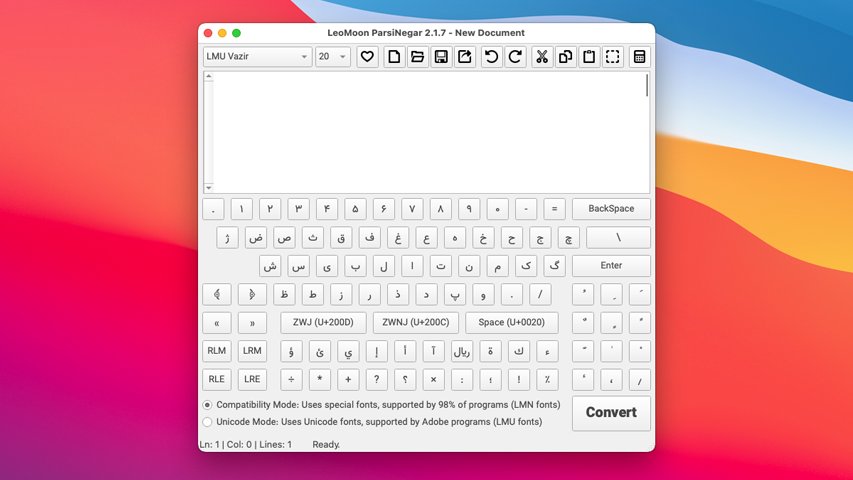
LeoMoon ParsiNegar is a free, open-source desktop application for preparing Persian, Arabic, Urdu, Kurdish, and Hebrew text for other applications. It is especially useful when a graphics or video application does not shape right-to-left text correctly. Type or paste your text in ParsiNegar, convert it, and paste the result where you need it. You can also turn the text into editable SVG curves for designs that need to look the same even when the font is not installed on another computer.
Maintained since 2008, ParsiNegar has been rewritten for its current release as a cross-platform Qt 6 application. The rewrite makes the project easier to maintain, provides automated builds, and makes the source code available to everyone.
Features
- Unicode and compatibility conversion for applications with incomplete right-to-left support:
- Unicode mode for applications that accept Unicode text but do not shape or order it correctly.
- Compatibility mode for older applications that need legacy Maryam/LMN character codes and a matching compatibility font. The Hebrew profile uses Unicode mode only.
- A standalone editor with an on-screen keyboard, plain-text document saving, undo and redo, and tools for cleaning or changing source text.
- Font-specific SVG curve export with an installed-font selector, an on-demand preview, and warnings about missing glyphs.
- English, Persian, and Arabic interface languages, light and dark themes, and accent-color choices.
- Offline use on Windows, macOS, and Linux.
Usage
- Download the package for your computer from the GitHub releases page . Windows has x64 and ARM64 installers, macOS has a universal DMG and PKG, and Linux has x86_64 and ARM64 AppImages. On Linux, make the AppImage executable before opening it.
- Type or paste your original text into Source text. Use the Document menu to save it as a plain-text file if you want to keep a copy. You can also use Text Tools to clean or transform the source before conversion.
- If needed, open Settings and choose the shaping profile for Persian and Arabic, Kurdish and Urdu, or Hebrew. Choose Unicode mode for a destination that accepts Unicode text, or Compatibility mode for an older destination that requires a matching LMN/Maryam-style font.
- Click Convert or press
Ctrl+Enter. ParsiNegar copies the converted text to your clipboard, ready to paste into the destination application. In compatibility mode, select the corresponding compatibility font in that application too; otherwise the pasted characters may not display as intended.
To create an SVG instead, enter your source text and open Export SVG. Select the conversion mode and a suitable font, adjust size, spacing, and alignment, then click Preview to inspect the result. Use Update preview after making changes. If the preview reports missing glyphs, choose another font before clicking Save SVG. SVG export creates curves, so the lettering remains visually consistent without requiring the font on the receiving computer.
SVG export accepts TrueType and OpenType/CFF fonts up to 5 MiB. Before the unchanged bundled Typr.js parser runs, application-owned qml/core/SafeTypr.js checks the font table directory, CFF INDEX offsets, cmap format-12 group counts, and parser byte-read ranges. A malformed font is rejected as INVALID_FONT without saving an SVG. These checks target out-of-bounds and oversized reads or allocations, but they are not a complete font-format validator or a substitute for using fonts from trusted sources.
The compatibility fonts are optional. The Windows and macOS installers offer font installation by default. Linux AppImages do not install fonts system-wide; Ubuntu users can install the separate font .deb, while users of other Linux distributions can use the font ZIP and its included instructions. You only need these fonts when using compatibility output or when you want to use them for SVG export.
Keyboard shortcuts
Ctrl+Enter: ConvertCtrl+,: Toggle SettingsCtrl+T: Toggle Text ToolsCtrl+E: Toggle ExportCtrl+H: Toggle HelpCtrl+wheel: Change editor text size (Command+wheelon macOS)
The Document menu also provides Ctrl+N (New), Ctrl+O (Open), Ctrl+S (Save), and Ctrl+Shift+S (Save As).
Supported platforms
- Windows: x64 and ARM64 Inno Setup installers.
- Linux: x86_64 and ARM64 AppImages.
- macOS: Universal installer in DMG and PKG.
Donors
Ali Mohazab x2 Amir Reza Vossough Farshad Kivi Joobin Gharibshah Kamyar Keikhosravy