Introduction
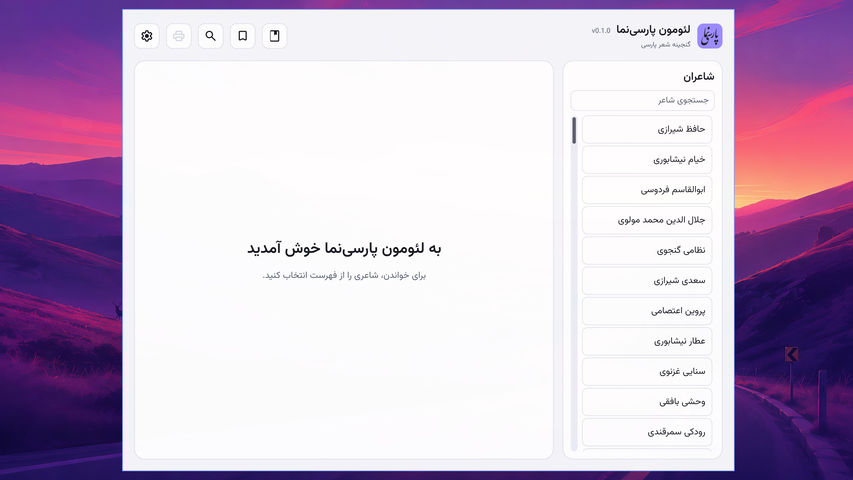
LeoMoon ParsiNama (لئومون پارسینما) is an offline reader for Persian poetry on desktop computers and Android. It turns the Ganjoor poetry export into a local SQLite catalog, so you can browse poets and collections, read poems, and search their text without an internet connection.
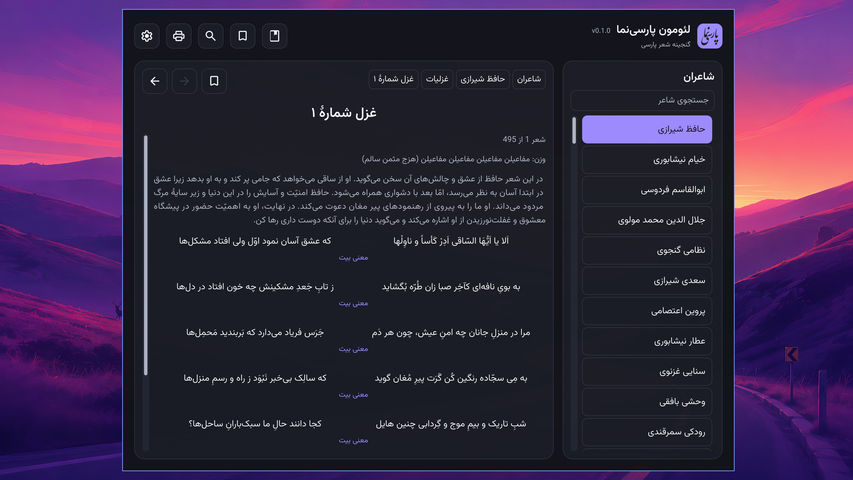
The interface is in Persian and reads right to left. Poems keep their source order, including paired lines where the source marks a couplet.
Features
- Browse poets and collections, then follow breadcrumbs back through the collection hierarchy.
- Read poems in source order and move to the previous or next poem in the same collection.
- Search poetry and save bookmarks for poems and collections.
- Print a poem or export it to PDF on desktop builds.
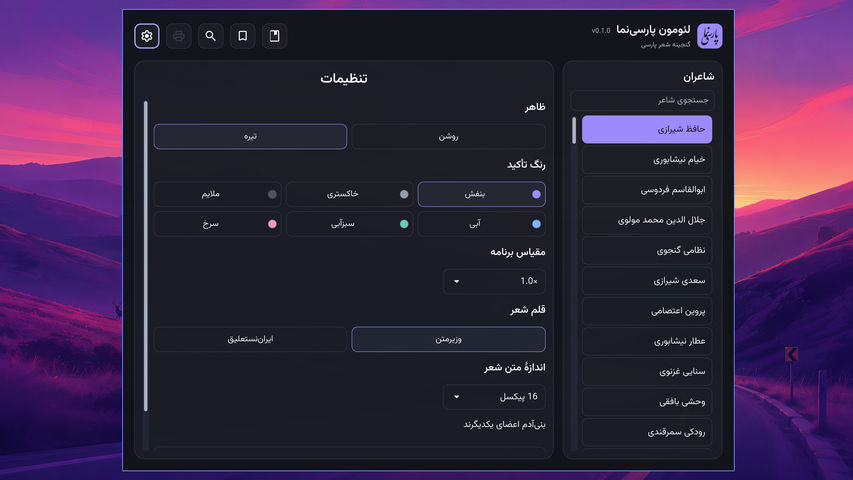
- Choose a light or dark theme, accent color, and bundled poem font. Adjust reading text size and select an app scale from 1.0× to 3.0× in 0.1 steps.
- Read offline with the poetry catalog bundled into the app.
Usage
- Choose a poet from the right sidebar, then open a collection or poem.
- Use the breadcrumbs above the content to return to the poet or a parent collection. On a poem page, use the Previous and Next buttons to move through the collection.
- Open search, bookmarks, printing, or settings from the toolbar. Printing and PDF export are available on desktop builds.
- In Settings, choose the appearance, poem font, reading text size, and app scale. Scale changes apply immediately and are saved for the next launch.
Build and run
Building from source requires CMake 3.21 or newer, a C++17 compiler, and Qt 6.5 or newer with Core, Concurrent, Gui, Qml, Quick, Quick Controls 2, SQL with the SQLite driver, Print Support, Test, and Widgets. The repository contains the poetry export and the fonts used by the app.
cmake -S . -B build -DCMAKE_BUILD_TYPE=Release cmake --build build --parallel 2 ./build/leomoon-parsinama
The build generates build/parsinama-catalog.sqlite from data/. The source export occupies about 2.4 GB, and the generated catalog occupies about 3.5 GB. Allow additional disk space and time for the first build. Bookmarks and settings are stored separately and remain available when the catalog is rebuilt.
Run ctest --test-dir build --output-on-failure to check the build, or ./build/leomoon-parsinama --smoke-test for an app-level check. Pass --catalog /path/to/parsinama-catalog.sqlite to open another catalog.
Build for Android on Linux
Install JDK 21 and the Android SDK command-line tools, with sdkmanager at ~/Android/Sdk/cmdline-tools/latest/bin/sdkmanager. Install SDK platform 36, build tools 36.0.0, platform tools, and NDK 27.2.12479018. You also need Qt 6.11.2 for both the Linux desktop host and Android arm64. If the matching Qt packages are missing, these commands install them in ~/Qt:
python3 -m venv /tmp/parsinama-aqt-venv /tmp/parsinama-aqt-venv/bin/pip install aqtinstall /tmp/parsinama-aqt-venv/bin/aqt install-qt linux desktop 6.11.2 linux_gcc_64 --outputdir "$HOME/Qt" /tmp/parsinama-aqt-venv/bin/aqt install-qt all_os android 6.11.2 android_arm64_v8a --outputdir "$HOME/Qt" "$HOME/Android/Sdk/cmdline-tools/latest/bin/sdkmanager" --sdk_root="$HOME/Android/Sdk" 'platforms;android-36' 'build-tools;36.0.0' 'platform-tools' 'ndk;27.2.12479018'
First build the desktop catalog using the commands above, then build the host icon generator with cmake --build build --target parsinama_icon_generator. From the repository root, configure and compile the Android app with that catalog and icon generator:
"$HOME/Qt/6.11.2/android_arm64_v8a/bin/qt-cmake" -S . -B build-android-local -G Ninja \ -DQT_HOST_PATH="$HOME/Qt/6.11.2/gcc_64" \ -DANDROID_SDK_ROOT="$HOME/Android/Sdk" \ -DANDROID_NDK_ROOT="$HOME/Android/Sdk/ndk/27.2.12479018" \ -DPARSINAMA_HOST_CATALOG="$PWD/build/parsinama-catalog.sqlite" \ -DPARSINAMA_HOST_ICON_GENERATOR="$PWD/build/parsinama-icon-generator" \ -DBUILD_TESTING=OFF cmake --build build-android-local --target leomoon_parsinama --parallel 2
Package with API 36 explicitly so Android Studio does not select a newer preview platform. The larger Gradle heap is needed to compress the bundled catalog:
mkdir -p build-android-local/android-build/libs/arm64-v8a cp build-android-local/libleomoon-parsinama_arm64-v8a.so build-android-local/android-build/libs/arm64-v8a/ GRADLE_OPTS='-Dorg.gradle.jvmargs=-Xmx8g -Dorg.gradle.workers.max=2' \ "$HOME/Qt/6.11.2/gcc_64/bin/androiddeployqt" \ --input build-android-local/android-leomoon_parsinama-deployment-settings.json \ --output build-android-local/android-build \ --apk build-android-local/android-build/leomoon_parsinama.apk \ --android-platform android-36 adb devices -l adb install -r build-android-local/android-build/leomoon_parsinama.apk
Enable USB debugging before using ADB. After changing the code, repeat the build, native library copy, packaging, and installation commands. The APK contains the offline catalog; its first launch copies roughly 3.7 GB into app-private storage. An APK signed with a different debug key cannot update an existing installation. Removing the old installation also removes its local settings and bookmarks.
Settings and local data
The app stores settings.json and bookmarks.json under leomoon-parsinama/ in the platform configuration directory. On Linux, this is normally ~/.config/leomoon-parsinama/; on macOS, ~/Library/Preferences/leomoon-parsinama/; and on Windows, %LOCALAPPDATA%\leomoon-parsinama\. On Linux, the path follows XDG_CONFIG_HOME when it is set.
Package builds
The Package test builds GitHub Actions workflow can be started manually for Linux, Windows, macOS, Android, or all platforms. Linux and Windows offer x64 and ARM64 targets, while macOS builds a universal app. Pushing a version tag such as v1.0.0 starts all package builds, and each build generates metadata/VERSION from the tag. Manual builds can provide a test tag without creating a Git tag; otherwise they use the nearest version tag in the selected ref's history. The workflows upload test artifacts and do not publish a GitHub Release.
Content and attribution
The poetry export comes from ganjoor/ganjoor-data at commit a64968e78425b2e8c7904fbdf5289fba8251a757. Its manifest records 240 poets and 135,319 poems. See SOURCES.md for source digests and THIRD_PARTY_NOTICES.md for font and data notices.
The export did not include an explicit data license. Confirm its redistribution terms before publishing binary packages that contain the complete catalog.


