Introduction
Without having a free and easy way to type,
Persian culture will not advance.
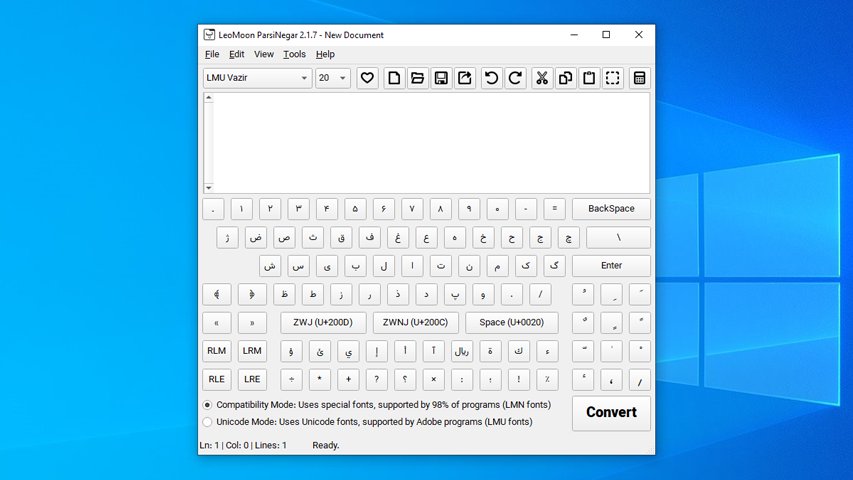
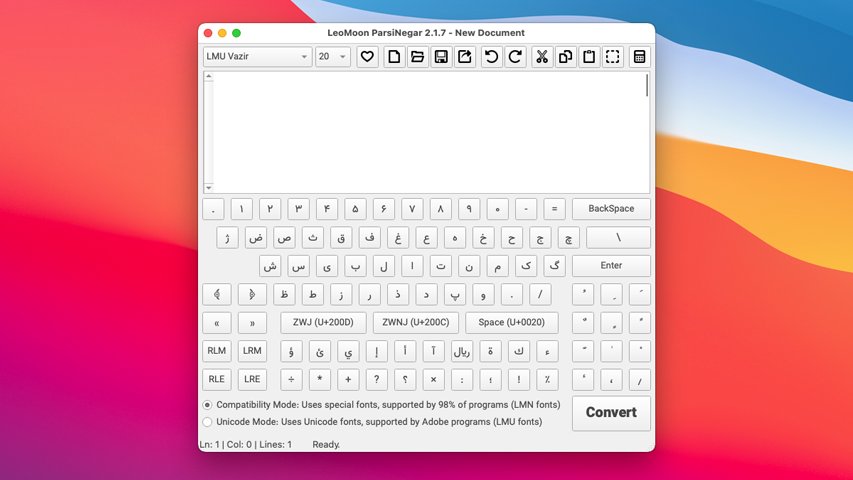
LeoMoon ParsiNegar is a free, open-source desktop application for preparing Persian, Arabic, Urdu, Kurdish, and Hebrew text for other applications. It is especially useful when a graphics or video application does not shape right-to-left text correctly. Type or paste your text in ParsiNegar, convert it, and paste the result where you need it. You can also turn the text into editable SVG curves for designs that need to look the same even when the font is not installed on another computer.
Maintained since 2008, ParsiNegar has been rewritten for its current release as a cross-platform Qt 6 application. The rewrite makes the project easier to maintain, provides automated builds, and makes the source code available to everyone.
Features
- Unicode and compatibility conversion for applications with incomplete right-to-left support:
- Unicode mode for applications that accept Unicode text but do not shape or order it correctly.
- Compatibility mode for older applications that need legacy Maryam/LMN character codes and a matching compatibility font. The Hebrew profile uses Unicode mode only.
- A standalone editor with an on-screen keyboard, plain-text document saving, undo and redo, and tools for cleaning or changing source text.
- Font-specific SVG curve export with an installed-font selector, an on-demand preview, and warnings about missing glyphs.
- English, Persian, and Arabic interface languages, light and dark themes, and accent-color choices.
- Offline use on Windows, macOS, and Linux.
Authors
- Amin Babaeipanah
Changelog
- 3.0.1 2026-09-22:
- Added persistent accent-color presets in Settings, including a neutral option.
- Kept the source editor focused during on-screen keyboard and mouse interactions.
- Fixed the extra cursor that appeared in mixed right-to-left and left-to-right text.
- Adjusted paired on-screen keyboard punctuation for the current paragraph direction while keeping ornate bracket keys in a consistent order.
- Matched the SVG export Fill Color and Variable Axes fields to the application theme.
- Made the Linux AppImage use the desktop portal file picker when available.
- Fixed pasting copied text over the same selected text so the selection clears and subsequent pastes insert another copy.
- Added permanent status bars to the editor and SVG export pages, with a neutral Ready state when idle.
- Removed unused side gutters from Export, Text Tools, Settings, Help, and ligature settings; overflowing pages reserve scrollbar space only on the appropriate side for the interface language.
- 3.0.0 2026-09-20:
- Rebuilt ParsiNegar as an open-source, standalone Qt 6 desktop application using C++, QML, and JavaScript for Linux, Windows, and macOS.
- Ported the Unicode and Maryam/LMN compatibility conversion algorithms, with shaping profiles for Persian and Arabic, Kurdish and Urdu, and Unicode-only Hebrew.
- Added automatic paragraph direction, optional bidi visual ordering, and the special VideoStudio Pro conversion option.
- Added a desktop editor with plain-text document opening and saving, undo and redo, font-size adjustment, keyboard shortcuts, and an on-screen keyboard.
- Added text tools for cleaning and transforming source text before conversion.
- Added exact-font SVG curve export with a searchable installed-font selector, font previews, and missing-glyph feedback.
- Added English, Persian, and Arabic interface translations and persistent preferences without saving draft text or clipboard contents.
- Bundled compatibility fonts and added native packaging for Linux x86_64 and ARM64, Windows x64 and ARM64, and universal Intel and Apple Silicon macOS.
- Added system-wide font installation and desktop-shortcut options to the Windows and macOS installers, plus a separate optional font package for Ubuntu.
- Added automated builds, tests, package smoke tests, checksums, and GitHub releases triggered by version tags.
- Improved the layout on smaller screens.
- 2.1.9 2022-12-17:
- Added option to skip fonts when installing ParsiNegar in Windows
- Added Options menu
- Added Reverse Words (Recommended for Most Graphical Suites) under Options menu
- Moved Special Convert for VideoStudio to Options menu
- Added Reset Options to Defaults under Options menu with Ctrl+R hotkey
- Added automatic saving and loading of last font type and font size used
- Improved help
- 2.1.8 2022-08-01:
- Fixed «ﻔ» not displaying correclty
- Fixed «ﷲ» ligature not displaying correctly
- Fixed many issues with fonts not displaying correctly
- Changed all fonts type from Normal to Regular
- Improved displaying of multi diacritics
- Added Persian interface with Ctrl+L hotkey
- Added new font «LMN Avvali.ttf»
- Added «ﮥ» ligature for both algorithms
- Added Alt+H to Show All toolbars
- Added Ctrl+H to Hide All toolbars
- Added Ctrl+Alt+N hotkey to Replace to English Numbers
- Added Ctrl+Shift+N hotkey to Replace to Persian Numbers
- 2.1.7 2021-10-05:
- Added cross-platform auto dark mode
- Added Dark Mode under View menu with Ctrl + M hotkey
- Updated all dependencies
- 2.1.6 2020-12-19:
- Fixed compatibility issue with macOS Big Sur
- Minimum supported macOS has changed to 10.14 Mojave
- Fixed uninstall icon for Windows setup
- Updated all dependencies
- 2.1.5 2020-11-16:
- Fixed text display problem when using on-screen keyboard on macOS
- ParsiNegar fonts are now embeddable
- Improved conversion algorithms
- Improved export modules
- Added EPS export
- 2.1.4 2020-05-20:
- Fixed crash on Windows 10 update 1909
- Updated all dependencies
- 2.1.3:
- Updated core to the latest version
- Updated all dependencies
- Embedded main font into the application
- Improved On-Screen keyboard text on MacOS
- Fixed DPI scaling not working sometimes
- Minimum supported macOS has changed to 10.13
- 2.1.2:
- Minor changes
- Windows binary is now digitally signed
- 2.1.1:
- Optimized text rendering engine
- Added more tools under Tools menu
- Convert «ی» to «ي»
- Convert «ک» to «ك»
- Convert «هٔ» to «هی»
- Convert Numbers to English
- Convert to English Quotation Marks
- Remove All Harekats (Diacritics)
- Remove All Keshide Characters (Tatweel)
- 2.1.0:
- Re-wrote text to path module
- Added export to PDF (text to path)
- Added export to PS (text to path)
- Added export to SVG (text to path)
- Added Special Convert for VideoStudio Pro option under Tools menu
- Added saving of last used folder
- Added saving of last used style
- Added saving of view options
- Added about window
- Improved help documentation
- Improved Unicode conversion algorithm
- Re-wrote text to path module
- 2.0.1:
- Minor UI changes
- Minor bugfixes
- 2.0.0:
- ParsiNegar was re-written from scratch to support macOS
- Both algorithms are now 3 times faster
- Added 6 new styles
- Added alignment tools
- Made UI much simpler
- 1.50:
- Added Persian menu when program is displayed in Persian
- Added «هی» to «هٔ» converter under Tools menu
- Added «"ا» to «اً» converter under Tools menu
- Added Edit/fix ZWNJ problems under Tools menu
- Added «%» to «٪» converter to numbers to Persian numbers converter
- Added elevated privilege to ParsiNegar Editor
- Fixed Windows 8+ settings problems
- Fixed the gap between characters when exporting to vector
- Fixed .lpn save problem when exiting program
- Fixed .lpn save problem in Windows 8+
- Fixed «ParsiNegar cannot write at its root folder» error in Windows 8+
Usage
- Download the package for your computer from the GitHub releases page. Windows has x64 and ARM64 installers, macOS has a universal DMG and PKG, and Linux has x86_64 and ARM64 AppImages. On Linux, make the AppImage executable before opening it.
- Type or paste your original text into Source text. Use the Document menu to save it as a plain-text file if you want to keep a copy. You can also use Text Tools to clean or transform the source before conversion.
- If needed, open Settings and choose the shaping profile for Persian and Arabic, Kurdish and Urdu, or Hebrew. Choose Unicode mode for a destination that accepts Unicode text, or Compatibility mode for an older destination that requires a matching LMN/Maryam-style font.
- Click Convert or press
Ctrl+Enter. ParsiNegar copies the converted text to your clipboard, ready to paste into the destination application. In compatibility mode, select the corresponding compatibility font in that application too; otherwise the pasted characters may not display as intended.
To create an SVG instead, enter your source text and open Export SVG. Select the conversion mode and a suitable font, adjust size, spacing, and alignment, then click Preview to inspect the result. Use Update preview after making changes. If the preview reports missing glyphs, choose another font before clicking Save SVG. SVG export creates curves, so the lettering remains visually consistent without requiring the font on the receiving computer.
The compatibility fonts are optional. The Windows and macOS installers offer font installation by default. Linux AppImages do not install fonts system-wide; Ubuntu users can install the separate font .deb, while users of other Linux distributions can use the font ZIP and its included instructions. You only need these fonts when using compatibility output or when you want to use them for SVG export.
Compatibility
LeoMoon ParsiNegar is available for Windows x64 and ARM64, macOS on Intel and Apple Silicon, and Linux x86_64 and ARM64. Check the download page for the available packages and platform requirements. The original application code is released under the MIT license.
Donors
Ali Mohazab x2 Amir Reza Vossough Farshad Kivi Joobin Gharibshah Kamyar Keikhosravy


